
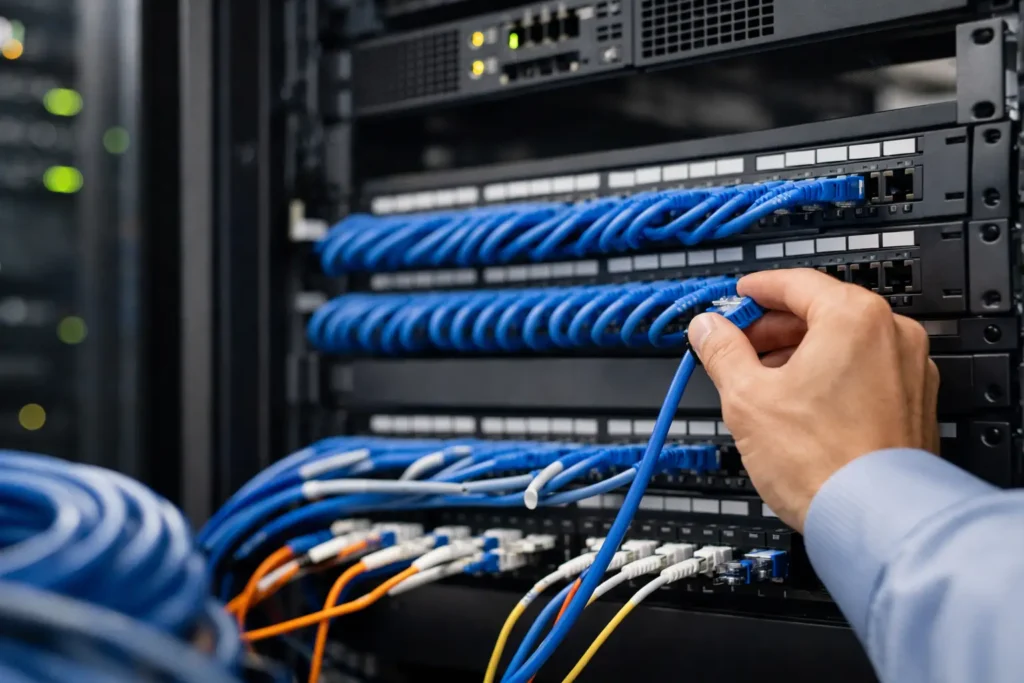
Structured cabling for businesses is often hidden above ceilings, behind walls, and inside equipment rooms, but it affects nearly every part of daily operations. A poorly planned cable plant can lead to slow network performance, unreliable phones, limited wireless coverage, difficult security expansions, and costly disruption when a business grows. A properly designed system gives your organization a dependable foundation for connectivity, communications, and protection.
For business owners and facility leaders, the goal is not simply to pull cable from one room to another. The goal is to install infrastructure that supports the technology your team needs now while leaving a practical path for future changes. That requires sound design, quality installation, clear labeling, and accountability from the first site walk-through through ongoing service.
What Structured Cabling Actually Supports
Structured cabling is the organized network of copper and fiber cabling, pathways, outlets, patch panels, racks, and related hardware that connects a commercial facility. It is the physical layer behind wired data networks, wireless access points, internet connections, telephone systems, cameras, access control devices, intercoms, and other low-voltage systems.
This matters because many business technologies share the same underlying infrastructure. A new video surveillance camera may need power and network connectivity. A door access reader may need to communicate with a control panel. A wireless access point needs a reliable connection in the right location to serve users effectively. When these systems are treated as separate projects without a coordinated cabling plan, the result is often duplicate work, crowded pathways, and harder troubleshooting.
A structured approach organizes these connections around a central telecommunications room or equipment room, with properly installed horizontal cabling serving work areas and devices throughout the facility. It creates order that is useful long after construction is complete.
Why Businesses Outgrow Ad Hoc Cabling
Many organizations begin with a few desks, a basic phone system, and one internet connection. Over time, they add employees, printers, conference rooms, cameras, Wi-Fi access points, card readers, and cloud-connected equipment. If each addition is installed as a one-off solution, the cabling environment can become difficult to manage.
The warning signs are familiar: unlabeled cables, patch cords running across floors, network equipment mounted without adequate space or ventilation, and no clear record of what serves which device. These conditions slow down service calls and make routine changes more expensive. They can also create operational risk when a damaged or disconnected cable affects a camera, phone, door, or critical workstation.
A structured system does not eliminate every service issue, but it makes the environment easier to understand and maintain. Technicians can trace connections more efficiently, move employees with less disruption, and identify where expansion capacity exists. For multi-site organizations, consistent cabling practices also make it easier to standardize technology across locations.
Structured Cabling for Businesses Starts With Planning
The best cabling decisions happen before walls are closed or furniture is moved into place. A planning conversation should consider how people use the space, which systems need connectivity, where equipment will be located, and what changes are likely during the next several years.
A small professional office may need dependable connections for workstations, phones, guest Wi-Fi, a conference room, and a controlled entry door. A medical office may require additional coverage for cameras, access control, check-in areas, and specialized devices. A warehouse or manufacturing environment may need durable pathways, strategically placed wireless access points, and cable routes that account for ceiling height, machinery, heat, dust, or future production changes.
The right design depends on the facility. It should account for more than the number of desks in the current floor plan. It should also consider likely device growth, the location of network closets, cable pathway access, electrical coordination, and the need to service equipment without interrupting business operations.
Capacity Is Cheaper to Build Early
Adding cable during construction or a major renovation is generally less disruptive than opening finished walls later. That does not mean every space should be overbuilt. It means the design should include reasonable capacity where future changes are likely.
For example, installing additional conduit or pathway space can make later additions far more practical. Providing more than one network drop at a conference room, reception area, or executive office may prevent a future scramble when technology requirements change. A business that expects to add cameras, access-controlled doors, or wireless coverage should identify those possibilities early, even if every device is not installed on day one.
Copper, Fiber, and Power Requirements
Category-rated copper cabling remains the workhorse for many business connections. Cat6 and Cat6A are common choices, with the right selection depending on required speeds, distances, power delivery needs, budget, and the expected life of the installation. Cat6A can be a strong choice for organizations planning for higher bandwidth and power-hungry devices, but it may require more space and careful pathway planning.
Fiber optic cabling is often appropriate for connections between buildings, long runs within larger facilities, high-bandwidth backbone links, or environments where electrical interference is a concern. It can provide significant capacity and distance advantages, though the design and termination requirements differ from copper.
Power over Ethernet, commonly called PoE, is another major consideration. Many cameras, access points, phones, and access control components receive both data and power through their network cable. The cabling, switches, power budget, and device locations must be planned together. A network connection alone is not enough if the supporting equipment cannot deliver the needed power reliably.
Installation Quality Is Part of System Performance
Quality cable and hardware matter, but installation practices matter just as much. Cables should be routed through appropriate pathways, protected from damage, supported correctly, and separated from sources of electrical interference when required. Bend radius, pulling tension, termination methods, firestopping, and grounding practices all affect long-term performance and safety.
The finished system should also be tested and documented. Certification testing verifies that each installed cable performs to the applicable standard for its category. Clear labeling at outlets, patch panels, and equipment racks gives future technicians a reliable map of the environment. Documentation is especially valuable when the original installer is not present years later or when an organization changes IT providers.
A clean equipment room is not just an appearance issue. Organized racks, proper cable management, labeled patch panels, and appropriate room conditions help teams make changes without accidentally affecting live services. This is where a standards-based installation pays off every time a user moves, a device is replaced, or a system issue must be isolated.
Coordinate Cabling With Security and Communications
Cabling is most effective when it is designed alongside the systems it will support. Security, communications, and networking are connected operationally even when they are managed by different teams.
Consider a new office buildout with surveillance cameras, card access, door intercoms, internet service, Wi-Fi, and business phones. Designing each service separately can leave gaps in coverage, duplicate cable runs, or create confusion about who is responsible for the equipment room. Coordinated design helps confirm device locations, pathway needs, network requirements, and power needs before installation begins.
This approach also gives leadership a clearer view of costs and responsibilities. Instead of coordinating multiple vendors for every low-voltage need, businesses can work with a provider that understands how the systems fit together. For Central Alabama organizations, Comtex brings connectivity, communications, and security infrastructure under one accountable service relationship.
Questions to Ask Before a Cabling Project
Before approving a project, business and facility leaders should be able to get clear answers to practical questions:
- What systems will this cabling support now, and what future systems should the design accommodate?
- Where will network switches, servers, security panels, and communications equipment be housed?
- Are cable pathways accessible for future additions and service work?
- Which cables will require PoE, and does the network equipment have sufficient power capacity?
- Will every cable be labeled, tested, and documented at project completion?
The answers should be specific to your facility, not based on a generic package. A smaller office may prioritize flexibility and cost control, while a multi-site business may place greater value on consistent standards and documentation across every location.
Plan for Service After the Installation
A cabling installation should not become a mystery once the project is complete. Businesses benefit from knowing who to call when a new employee needs a connection, a camera is added, a phone is moved, or an equipment room needs attention.
Ongoing support is particularly valuable when the cabling infrastructure serves several critical systems. If network, phone, access control, and video services all rely on the same physical environment, a provider that understands the full installation can troubleshoot more efficiently and help prevent small issues from becoming business interruptions.
A site walk-through before your next move, renovation, or technology upgrade can reveal the opportunities that are easy to miss on a floor plan. When the infrastructure is planned with the business in mind, the systems built on top of it are easier to operate, protect, and expand.