
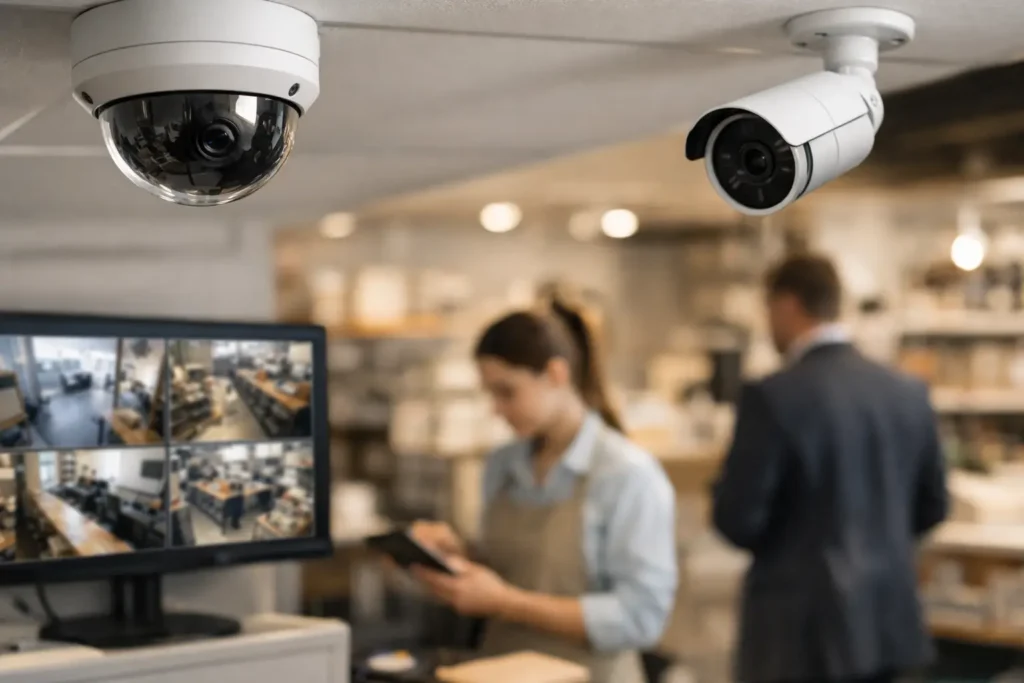
A camera that records a blurry face at the back door or misses activity because a delivery truck blocks its view does not provide much protection. The best small business surveillance cameras are not defined by a brand name alone. They are the cameras that provide useful evidence, cover the areas that matter, fit your network, and remain dependable after installation.
For Central Alabama businesses, the right system often starts with a practical question: what needs protection during the hours when no one is watching? A retail owner may need clear views of registers and entrances. A warehouse manager may need loading-dock coverage. An office or medical practice may need to verify who enters restricted areas without placing cameras where privacy is expected. For a custom designed security camera system in the Montgomery, AL area, please call COMTEX at 334-271-4000. Or for a camera system in the Birmingham, AL area please call 205-871-3000. www.COMTEX.org
Start With Coverage, Not Camera Count
A common mistake is choosing a number of cameras before walking the property. More cameras are not automatically better. A well-designed system uses the right camera type and placement to eliminate meaningful blind spots while keeping live viewing and recorded footage manageable.
Begin with the perimeter: public entrances, employee entrances, rear doors, parking areas, gates, loading docks, and exterior equipment. Then review interior locations where inventory, cash, records, or sensitive operations are exposed. Consider the routes people take between those spaces. If an incident occurs, footage should show not only what happened but also how a person entered, moved through the property, and left.
Camera height and viewing angle matter as much as resolution. A wide-angle camera can cover a large lobby, but it may not capture identifying detail at a distant doorway. A dedicated camera aimed at an entrance is often the better choice for face-level identification. Likewise, a camera mounted too high can show the top of a hat instead of a usable image of a face.
The Camera Types That Fit Most Small Businesses
Most commercial systems combine a few camera styles rather than using one model everywhere. The appropriate mix depends on the building, lighting, and security objective.
Fixed dome cameras for indoor spaces
Dome cameras are a practical choice for lobbies, hallways, offices, sales floors, and other indoor areas. Their compact housing is less visually intrusive than a larger exterior camera, and the direction of the lens can be less obvious to visitors. They work well where steady, predictable coverage is needed.
Bullet cameras for exterior views
Bullet cameras are commonly used for doors, drive lanes, parking areas, and building perimeters. Their shape makes it easier to aim them toward a specific target, such as a gate or receiving area. For exterior use, select equipment rated for the weather and temperature conditions it will face, with appropriate mounting and protected cabling.
Varifocal cameras for identification points
A varifocal lens can be adjusted during installation to match the scene. This is useful at entrances, loading docks, cash-handling areas, and other locations where a general overview is not enough. The goal is to balance a useful field of view with the detail required to recognize people, vehicles, or activity.
Pan-tilt-zoom cameras for active oversight
PTZ cameras can move and zoom remotely, making them helpful for large parking lots, campuses, yards, or facilities with an active security team. They are not a replacement for fixed cameras. While a PTZ camera is following one event, it may not be looking at another. In many cases, a PTZ camera adds value when paired with fixed cameras that continuously record key areas.
Image Quality Is About Evidence, Not Marketing Numbers
High-resolution video can make a significant difference, particularly when footage must be reviewed after an incident. But resolution should be matched to the purpose of each camera. A camera covering a broad warehouse aisle may need a different configuration than one documenting a point-of-sale transaction.
Low-light performance deserves equal attention. Exterior incidents often happen before sunrise, after closing, or during poor weather. Infrared night vision can support black-and-white recording in darkness, while cameras with improved low-light sensors may retain more color detail under available lighting. Good exterior lighting can also improve image quality and discourage unwanted activity.
Ask whether the camera will capture the detail you need at the distance involved. Reading a license plate, identifying a person at a doorway, and monitoring general activity are different tasks. A system designer should account for those differences before equipment is installed, not after an incident exposes a gap.
Choose Storage That Matches Your Risk and Operations
Recorded video is only useful if it is available when you need it. Storage planning should consider camera count, resolution, recording schedule, motion activity, retention requirements, and who needs access to footage.
Network video recorders provide local storage and can be a strong fit for businesses that want video retained on-site under their control. Cloud-managed systems can simplify remote access and reduce some on-premises equipment requirements, but they may involve recurring service costs and depend on reliable internet bandwidth. A hybrid approach can provide local recording with remote access or backup options.
There is no universal retention period. A convenience store may need longer retention than a small professional office. A property manager may need to preserve video long enough to investigate tenant concerns, while a warehouse may need coverage around shipping records and inventory cycles. The right policy reflects operational needs, available storage, and applicable privacy or regulatory obligations.
It is also wise to define who can export footage and how it will be preserved. A clear process helps protect the integrity of video when it is needed for an insurance claim, employee matter, or law enforcement request.
Network Reliability and Cybersecurity Cannot Be Afterthoughts
Modern IP cameras are connected devices. That makes professional network design part of physical security, not a separate concern. Cameras require sufficient bandwidth, reliable power, properly sized network switches, and cabling installed to recognized standards.
Power over Ethernet allows a single network cable to provide both data and power to many cameras. This can simplify installation and reduce dependence on nearby electrical outlets. However, switch capacity, cable distance, surge protection, and backup power still need to be planned correctly, especially for exterior cameras and larger systems.
Security also includes protecting access to the camera system itself. Use unique credentials, role-based permissions, current firmware, and secure remote access methods. Avoid placing cameras on an unmanaged network with other business devices. A properly configured network can help prevent a camera issue from becoming a broader operational issue.
Integration Makes Video More Useful
The strongest surveillance systems do more than create recordings. They help businesses understand events faster. When video is integrated with access control, a manager can review footage connected to a door event, such as an after-hours credential use or a forced-door alarm. When connected with intrusion alarms, cameras can provide a visual check of an alarm notification before a response is initiated.
Integration is especially valuable for facilities with multiple entrances, separate buildings, or more than one location. It reduces the time spent switching between systems and gives managers a clearer picture of what occurred. The trade-off is that integration requires thoughtful design, compatible equipment, and support from a provider that understands both security and network infrastructure.
Avoid These Common Buying Mistakes
The least expensive camera package may appear attractive until installation, storage, support, and replacement needs are considered. Consumer-grade equipment can be appropriate for a very limited application, but commercial operations often need better durability, centralized management, protected network connections, and dependable service.
Another mistake is relying solely on remote viewing from a phone. Mobile access is useful, but a surveillance system should be designed around reliable recording and evidence retrieval first. Live views can fail when internet service is interrupted or a device is unavailable. Local recording and documented review procedures provide a stronger foundation.
Finally, do not overlook privacy. Avoid cameras in restrooms, changing areas, and other places where people reasonably expect privacy. If audio recording is considered, review applicable laws and communicate policies clearly. Camera placement should protect the business while respecting employees, customers, tenants, and visitors.
Work From a Site-Specific Plan
The best small business surveillance cameras are part of a complete system: properly selected equipment, strategic placement, secure connectivity, reliable storage, and ongoing support. The right design for a retail storefront will not necessarily be right for a church, professional office, manufacturing site, or multi-tenant property.
A site assessment gives business owners a practical path forward. It identifies exposure points, confirms network and power requirements, and establishes a system that can grow as operations change. With more than one critical system often sharing the same building and network, working with a single accountable technology partner can also simplify service and long-term management.
A camera system should give your team confidence, not another system to worry about. Start with the locations and events that would most disrupt your operation, then build coverage that helps you see clearly when it matters most.