
A former employee still has a key. A vendor arrives after hours and needs entry. A manager needs to know who opened a storage room before inventory went missing. These are practical reasons why do businesses need access control is a question worth asking before a security issue becomes a business interruption.
Keys are familiar, but they provide limited control once they leave your hands. An access control system gives business leaders a more organized way to decide who can enter a building, when they can enter, and which areas they can use. For organizations across Central Alabama, that control supports safety, accountability, and smoother day-to-day operations.
Why Do Businesses Need Access Control?
At its core, access control replaces a one-size-fits-all approach to building entry with permissions that reflect real job responsibilities. An employee may need access to the main office and break room, while an IT administrator needs access to a network closet and a delivery driver only needs entry at a designated receiving door. The system makes those differences manageable without issuing a growing collection of physical keys.
This matters because most business facilities contain areas with different levels of risk. Offices may hold employee records, customer information, equipment, inventory, cash, medications, or sensitive documents. A single unlocked door can create exposure that is difficult to trace after the fact.
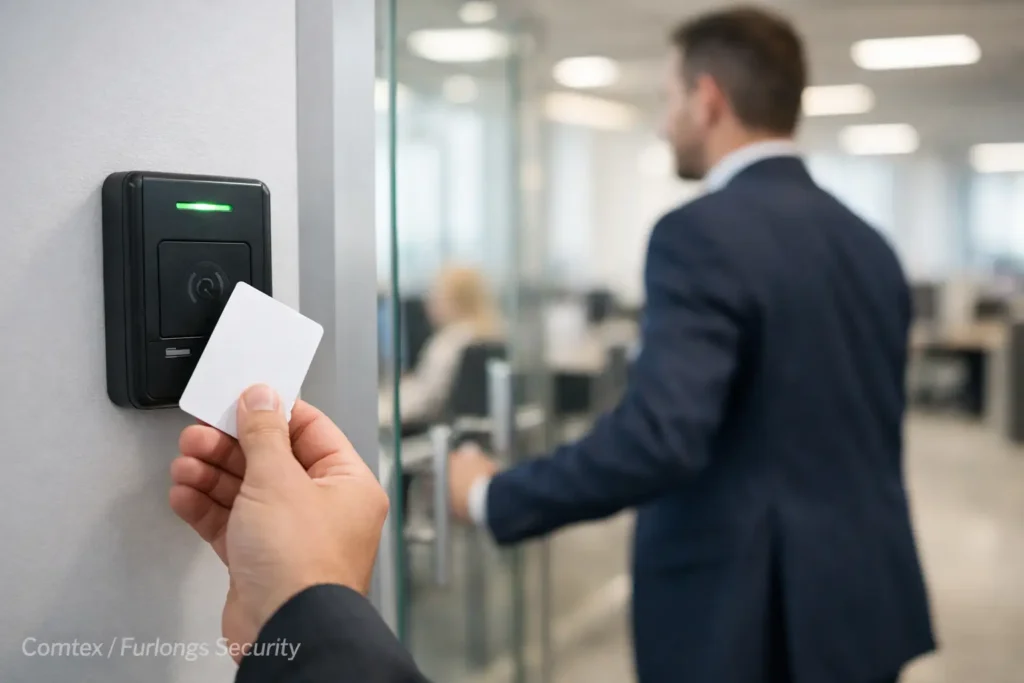
Electronic access control can use key cards, fobs, mobile credentials, PIN codes, or biometric readers, depending on the facility and its security needs. More importantly, it gives authorized managers the ability to add, change, or remove access without waiting to collect and rekey every physical lock.
For a small office, this may mean controlling one or two exterior doors. For a multi-site organization, it may mean establishing consistent access rules across offices, warehouses, clinics, schools, or apartment common areas. The right scope depends on the building, the number of users, operating hours, and the value of what the business needs to protect.
Protect People Before Property
Protecting property is a clear benefit of access control, but protecting people is often the more urgent concern. Employees should be able to work without worrying that unauthorized visitors can move freely through the facility. Visitors should have a clear, appropriate path into the building. Managers should be able to secure the premises at closing time without relying on verbal reminders or uncertain key handoffs.
Controlled entry points help establish those boundaries. A receptionist can release a visitor through a managed door. Staff members can enter with their assigned credential. Restricted areas such as server rooms, records storage, maintenance spaces, and medication cabinets can remain accessible only to approved personnel.
Access control can also support safer responses during unusual circumstances. If an employee is terminated, a lost credential is reported, or a contractor no longer needs access, permissions can be removed quickly. That is a meaningful improvement over changing locks because an unreturned key may be copied, shared, or simply forgotten.
A system should not be viewed as a replacement for sound personnel policies, visitor procedures, or employee training. It is a practical tool that helps enforce those policies consistently. Security works best when people, procedures, and technology reinforce one another.
Better Accountability at Every Door
A traditional key tells you that someone could enter. Access control can show who used a credential, which door they used, and when the event occurred. That audit trail is valuable when a manager needs to investigate an incident, verify a vendor visit, or understand how a facility is being used after hours.
The goal is not to create an atmosphere of surveillance. It is to provide clear records when questions arise. In many workplaces, access reports resolve routine questions quickly and reduce the need for assumptions or unnecessary disruption to staff.
For example, a warehouse manager may want to confirm that only approved staff entered a secure inventory area. A property administrator may need documentation of maintenance access to a common space. An operations leader may want to review repeated after-hours entry at a location that is normally closed. With properly configured permissions and reporting, those answers are easier to find.
This information is especially useful when access control is designed alongside video surveillance. Door activity can help identify the right camera footage to review, while video can provide context around an access event. The systems serve different purposes, but together they give a clearer picture of what occurred.
Reduce the Cost and Disruption of Keys
Physical keys seem inexpensive until a business has to replace them. When an employee leaves without returning a key, a manager must decide whether the risk justifies rekeying a door or an entire facility. If master keys are involved, that decision can become costly and disruptive.
Access control changes the process. A credential can be deactivated, a replacement can be issued, and access rights can be adjusted as roles change. That saves time for managers and reduces the operational burden of tracking keys across a growing team.
It also makes access more flexible. A cleaning company may need entry only during specific evening hours. A seasonal employee may need access for a limited period. A manager may need temporary access to a restricted area during a project. Instead of creating exceptions through shared keys, the system can apply time-based access rules.
There is a trade-off. Electronic systems require thoughtful planning, professional installation, and ongoing administration. Credentials must be issued responsibly, permissions need periodic review, and the system should be supported when hardware or software needs service. For most businesses, those responsibilities are far more manageable than the uncertainty of uncontrolled keys, but they should be part of the decision from the start.
Support Operations Without Slowing People Down
The best access control system is secure without making normal work difficult. Employees should not have to navigate complicated procedures to enter the spaces they need. Managers should not have to call multiple vendors when a door, camera, network connection, or intercom issue affects operations.
That is why system design matters. A controlled door needs the right locking hardware, readers, power, cabling, egress configuration, and integration with the building’s daily workflow. A door used by customers requires a different approach from an employee-only entrance. A fire-rated door, gate, warehouse bay, or medical office may also have specific requirements that affect the design.
Businesses should also consider how access control fits their broader technology environment. An intercom at a front entrance can allow staff to verify visitors before granting access. Video surveillance can provide visual verification. Structured cabling and network infrastructure help support connected devices reliably. Alarm systems may provide another layer of protection when a building is unoccupied.
Working with one qualified provider for these connected systems can simplify installation, service coordination, and future expansion. Rather than treating each device as an isolated purchase, business leaders can plan a security and connectivity foundation that supports the facility over time.
Where Access Control Delivers the Most Value
Almost any commercial facility can benefit from managed entry, but the strongest case often appears where access changes frequently or certain spaces require clear restrictions. Professional offices, medical and dental practices, warehouses, manufacturing facilities, schools, churches, retail backrooms, property management offices, and multi-tenant buildings all face different versions of the same challenge: the right people need convenient access, and everyone else needs to be kept out.
A single-door system may be enough for a small business that wants to secure a rear entrance and eliminate concerns about former employees’ keys. A larger organization may need multiple doors, departments, schedules, and sites managed from a central platform. Neither approach is automatically better. The appropriate system is the one that matches the organization’s risk, workflow, budget, and plans for growth.
Before selecting equipment, it helps to walk through the facility and ask practical questions. Which doors are used most often? Which areas hold sensitive information or valuable assets? Who needs access after hours? How are visitors handled? What happens when an employee changes roles or leaves? Clear answers lead to a system that is useful rather than overly complicated.
Plan for Long-Term Control
Access control is not only a purchase for a door. It is an operational decision about how a business manages its facility. A well-designed system can remain useful as staff changes, spaces are renovated, and security needs evolve.
That is why installation quality, documentation, and local support deserve careful consideration alongside the equipment itself. Properly installed cabling, correctly configured locks, dependable power, and trained system administrators all affect whether the system performs when it is needed. A low initial price can become expensive if it creates unreliable doors, limited expansion options, or confusion about who is responsible for service.
For Central Alabama organizations, Comtex can help evaluate entry points, identify practical security priorities, and build access control around the way the facility actually operates. The most helpful next step is often a site conversation that turns everyday concerns about keys, visitors, and restricted areas into a clear, manageable plan.