
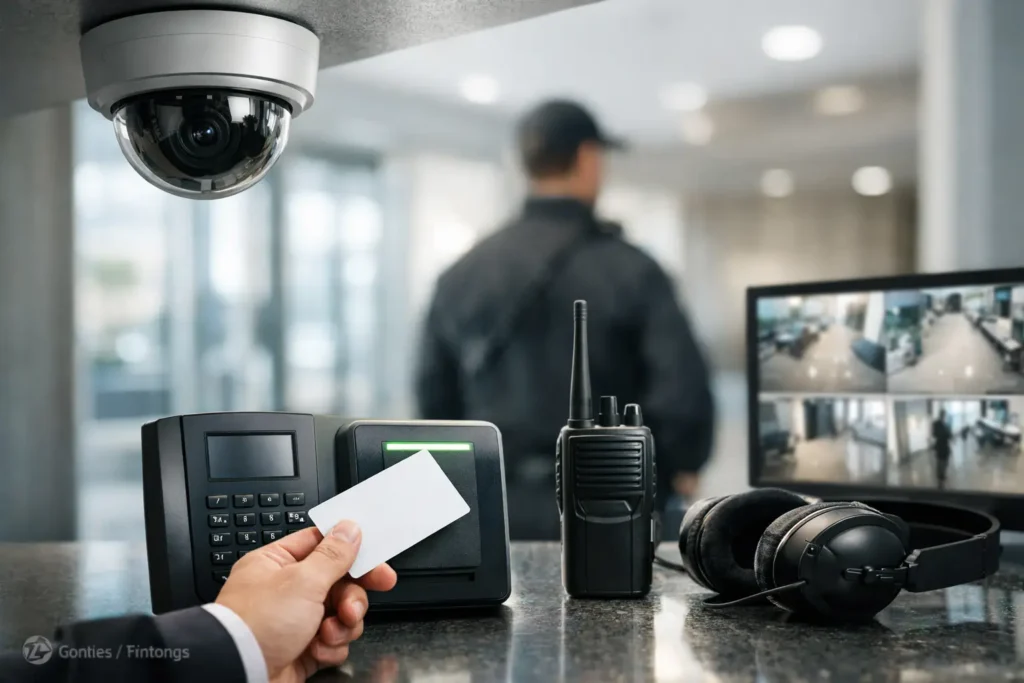
A door held open after closing time, a camera that cannot be located when an incident occurs, or a failed network connection can turn a routine day into a costly disruption. This security integration guide helps commercial property leaders connect the systems that protect their people, facilities, and daily operations – without creating a patchwork of vendors, logins, and service calls.
For businesses in Central Alabama, integrated security is not simply about adding more equipment. It is about making access control, video surveillance, alarms, communications, and network infrastructure work together around the way the facility actually operates. The right design gives managers clearer information, reduces avoidable gaps, and creates a more manageable foundation for growth. Call Comtex for a custom and professional security design for your business at 334-271-4000. www.Comtex.org
What a Security Integration Guide Should Solve
Security systems are often purchased at different times for different reasons. A company may install cameras after a theft, add card access when staffing grows, and replace its phone or network equipment during a renovation. Each decision can make sense on its own. Over time, however, separate systems may create unnecessary complexity.
An integrated approach begins with operational questions. Who needs access, and when? Which areas require recorded video? What should happen when an alarm is triggered? How will remote sites, warehouses, offices, and employee entrances be managed? The answers determine the design more effectively than a one-size-fits-all equipment list.
A well-planned system should help a business accomplish four practical objectives:
- Control and document entry into restricted areas.
- Capture useful video at entrances, cash-handling areas, loading zones, and other priority locations.
- Notify the right people when alarms or system events require attention.
- Support dependable communication between security devices, users, and management systems.
Integration does not always mean every system must be controlled through a single screen. In some facilities, that is useful. In others, reliable connections between key systems and clear response procedures are the better investment. The goal is operational simplicity, not technology for its own sake.
Start With Facility Workflows, Not Equipment
Before selecting cameras, door hardware, or alarm panels, map the building’s normal activity. Consider when employees arrive, where visitors enter, how deliveries are received, which doors remain active after hours, and where sensitive records, inventory, or equipment are kept.
A medical office, for example, may need controlled access to records rooms and staff-only corridors while keeping patient entry welcoming and uncomplicated. A warehouse may place greater priority on dock doors, perimeter coverage, equipment yards, and shift-based access. A multi-tenant commercial property may need property management access, tenant separation, visitor communication, and dependable coverage of common areas.
This review also identifies the exceptions that often cause trouble. Who can enter when a supervisor is absent? What happens when an employee badge is lost? Can a manager verify an after-hours door event with video? Is there a defined process for contractors and temporary staff? Security performs best when it supports these real-world decisions instead of forcing employees into workarounds.
Build the Network Foundation First
Modern security equipment relies on the network more than many organizations realize. IP cameras, access control panels, wireless devices, intercoms, remote management tools, and cloud-connected applications all depend on properly planned connectivity.
That makes structured cabling, equipment locations, power planning, and network capacity part of the security conversation. A camera may be capable of high-resolution recording, but poor cabling, limited bandwidth, or an overloaded switch can reduce its usefulness. Likewise, a door controller installed without a clear path for service or expansion can complicate future changes.
Network planning should account for device count, video retention needs, remote viewing requirements, segmentation, backup power, and physical protection of communications equipment. It should also consider who will manage credentials, user permissions, firmware updates, and system alerts. A facility with an internal IT team may retain more day-to-day control. A smaller organization may prefer a service partner that can provide support across the network and physical security environment.
There are trade-offs. Higher-resolution cameras can provide more detail, but they require additional storage and network resources. Cloud-managed systems can make remote administration easier, but recurring costs and internet reliability need to be evaluated. Wired devices generally offer predictable performance, while wireless options can be valuable where cabling is difficult or a temporary installation is needed.
Connect Access Control, Video, and Alarms With Purpose
Access control establishes who can enter a space and when. Video surveillance helps verify what occurred at that location. Alarm systems provide notification when a protected door, area, or device is activated. When these functions are designed together, staff can respond with more confidence and less guesswork.
For example, an access event at a rear entrance can be paired with video coverage of that door. If an alarm is activated after hours, designated personnel can review relevant footage according to their system permissions and established procedures. An intercom at a visitor entrance can support communication before access is granted. These are practical connections that improve decision-making during normal operations and during incidents.
The design should be proportionate to risk. A small office may need a controlled main entrance, a few well-positioned cameras, and monitored intrusion protection. A larger campus may require multiple access zones, credential schedules, elevator or gate control, broader video coverage, and separate permissions for departments or tenants.
Avoid assuming that more cameras or more access points automatically mean better protection. Camera placement, lighting conditions, mounting height, field of view, and retention settings matter. Door security depends on the frame, lock hardware, exit requirements, and proper installation as much as the card reader itself. A standards-based installation is what turns individual products into a dependable system.
Plan for People, Policies, and Daily Administration
Technology cannot replace clear operating practices. Someone must approve new users, remove credentials when employees leave, review exception reports when necessary, and know whom to contact when a device needs service.
Set responsibility early. Facility management may own physical access rules, while IT manages network standards and user accounts. Operations leaders may define schedules for shifts and delivery access. In smaller businesses, one administrator may handle several responsibilities. The approach can vary, but ownership should not be unclear.
Written procedures do not need to be complicated. They should explain how credentials are issued, how visitors are handled, how incidents are escalated, and how staff report damaged equipment or suspicious activity. Training is particularly useful after installation, when users are learning new procedures and managers are establishing habits around the system.
Privacy also deserves attention. Camera coverage should serve a legitimate business purpose and follow applicable policies and legal requirements. Managers should limit access to recorded video and system administration based on job responsibility. Protecting the security system itself is part of protecting the facility.
Design for Service and Future Changes
Commercial facilities change. Departments move, tenants turn over, doors are added, parking patterns shift, and businesses open additional locations. A security system should be designed with enough flexibility to accommodate reasonable changes without requiring a complete replacement.
During planning, identify likely expansion points, available network capacity, cabinet space, and pathways for future cabling. Ask how new cameras, doors, users, or sites will be added. Confirm how service requests will be handled and whether one provider can support connected systems such as security, communications, data networks, structured wiring, and intercoms.
This is where a single accountable partner can reduce friction. Instead of asking separate vendors to determine whether a problem belongs to the camera, access system, cabling, switch, internet connection, or power source, businesses can work with a team that understands the environment as a connected whole. Comtex helps commercial customers plan, install, and support these systems with that broader operational view.
A Practical Security Integration Plan
A strong security integration plan usually begins with a walkthrough and a clear scope of priorities. Document entrances, critical assets, existing equipment, network conditions, daily workflows, and areas where incidents or service problems have occurred. From there, establish the desired outcomes for the next one to three years, not just the immediate project.
The next step is system design. This should define device locations, cabling routes, power needs, network requirements, equipment access, user permissions, recording expectations, and alarm response procedures. It should also account for code requirements, life-safety considerations, and coordination with other building trades when applicable.
Installation quality matters at every stage. Labels, cable management, secure mounting, protected equipment locations, tested connections, and accurate documentation make future service faster and help preserve the value of the investment. Once installation is complete, verify the system under normal and after-hours conditions. Test doors, camera views, notifications, remote access, backup power, and user permissions before the project is considered finished.
Choose Integration That Fits the Business
The best security design is not necessarily the largest or most complex one. It is the one that gives the organization useful protection, reliable operation, and a clear path for support. A focused system that is properly installed and actively maintained will serve a business better than an oversized system that staff cannot manage.
Start with the risks that affect operations most, then connect the technology and service plan around those needs. When security, communications, and connectivity are planned together, facility leaders spend less time coordinating separate systems and more time running the business with confidence.