
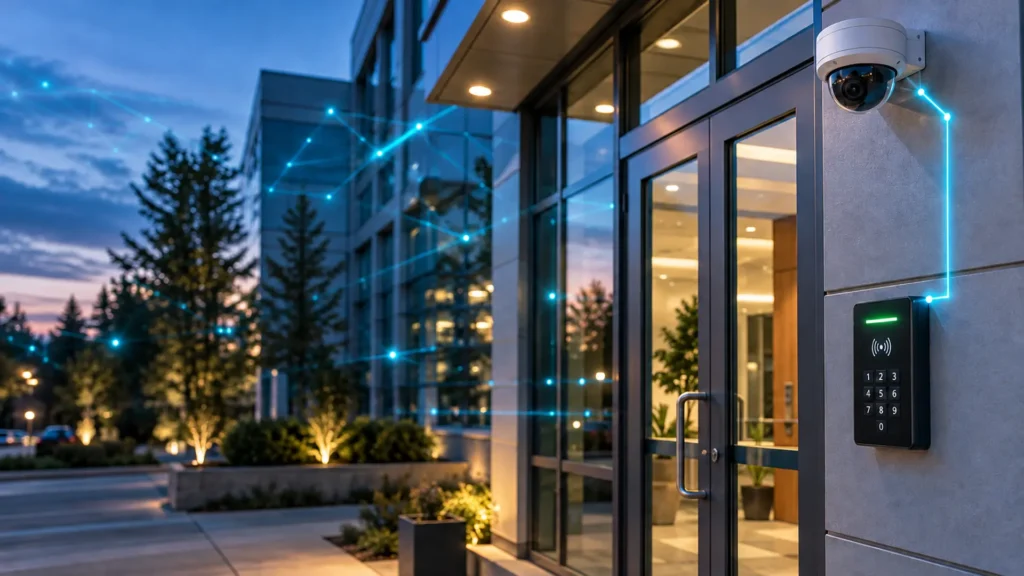
When an incident happens at a door, the first question is simple: what actually occurred, and who was involved? Too often, camera footage cannot answer it because the view is wrong, lighting is poor, or the clip is buried in hours of video with no event tie-in. Good design prevents that.
For Alabama businesses, the most reliable results come from pairing access-controlled openings with intentional camera coverage, consistent retention, and a network capable of handling the load. The goal is usable evidence and faster decisions, not just more pixels.
Comtex Technologies plans and supports connected commercial security systems across central Alabama so doors, cameras, alarms, and the network behind them work together through installation and ongoing service.
Start With the Door-Event Story
Access control can record the credential presented, the door, the time, and whether access was granted or denied. That record shows credential activity, not necessarily who physically entered. Cameras should add the visual context. Practical steps:
- Pair each controlled opening with two views when possible: a face-level approach view for identification and a door-hardware view for activity at the latch and threshold.
- Frame for direction of travel. Capture faces approaching the entrance and enough context to see whether someone follows another person through the door without presenting a credential.
- Mount at an effective height and distance. A 4 MP camera, placed correctly, often beats a higher-resolution camera mounted too high or too wide.
- Light the subject, not the ceiling. Balance backlight at glass storefronts, manage glare, and confirm night performance with actual after-dark tests.
When analytics are used for people or vehicle detection, tune zones and sensitivity after observing real traffic. Treat analytics as an assist, not a substitute for framing and lighting.
Fields of View and Identification Detail
Usable incident review depends on the right field of view at the right distance. For entry doors and credentialed interior doors, prioritize:
- Identification at entry: a tighter scene where faces fill enough of the frame to be recognizable.
- Context at intersections and hallways: a wider scene to understand movement before and after the door event.
- Exterior approaches: aim along the approach path rather than perpendicular to it, and consider a separate camera covering the parking area or gate.
PTZ units can be helpful in yards or lots with active monitoring, but do not replace fixed cameras at doors. A PTZ can only look one way at a time.
Retention, Recording Mode, and Export Discipline
Retention is not one-size-fits-all. Define by risk, activity, and policy.
- Continuous recording is appropriate for key entries, cash points, and sensitive storage, because it preserves context before and after motion.
- Motion-based recording can work in low-activity areas, but adjust sensitivity and zones to avoid gaps.
- Set retention targets for each camera group based on how quickly incidents are typically discovered and the organization’s policies. Compare options such as 30, 60, or 90 days against storage costs, privacy considerations, and any applicable legal, contractual, or insurance requirements.
Establish who can export, where evidence files are stored, and how important clips are preserved from overwrite. Test exports and time sync across systems so that door-event timestamps match the video.
Lighting and Night Performance
If identification matters after dark, plan lighting first. Add or aim fixtures to light faces at the approach side, not just the parking lot. Consider cameras with strong low-light capability and true WDR. Walk the site at night and capture test clips before final sign-off.
NVR, Cloud, or Hybrid
There is no universal best; match the model to operations, bandwidth, and support.
- NVRs (network video recorders) store video on-site without requiring continuous internet upload for local recording. Recording quality and retention depend on the recorder, storage capacity, camera settings, and workload.
- Cloud-managed video can simplify remote administration, but cloud management and cloud recording are not the same. Confirm where footage is stored, which features require a subscription, and how much upload capacity the selected setup needs.
- Hybrid designs combine local recording with cloud-based features. If off-site backup is required, confirm which footage is uploaded, how long it is retained, and what happens during an internet outage.
Which is better, NVR or Wi-Fi cameras? An NVR is a recorder, while Wi-Fi describes how a camera connects to the network. For commercial sites, compare the connection method and recording platform separately. Wired connections avoid Wi-Fi interference, while wireless cameras may suit locations where cabling is impractical. The right design depends on coverage, power, existing infrastructure, and recording needs.
Network and Cabling Implications
Video is a network workload. Avoid bottlenecks and surprises:
- Use structured cabling, PoE-capable switching, and protected pathways. Confirm backup power for cameras, switches, and recorders to ensure video continues during short power outages.
- Segment camera traffic where appropriate so surveillance does not affect business applications or VoIP.
- Plan upstream bandwidth for remote viewing and any cloud components. Upload capacity, latency, and jitter affect real-time review and off-site recording.
- Document ports, VLANs, IP schemes, and rack layouts for serviceability.
If a site needs new pathways or upgrades, structured cabling services can prepare the foundation. Comtex designs and installs standards-based cabling and cable management for security cameras, networking, and other connected systems. Learn more about options for Alabama businesses by reviewing Comtex guidance on Cat6 and fiber in their structured cabling section.
Remote Viewing Best Practices
Remote access should be secure, fast, and role-based.
- Use individual accounts with least-privilege permissions. Enable MFA where available.
- Use a securely configured remote-access method supported by the platform, such as a vendor service or appropriately restricted VPN. Avoid exposing cameras or recorders directly to the internet.
- Pre-build views tied to operational roles: front doors, loading docks, and high-value areas should be one click away.
- Test remote playback for door events so managers can quickly pivot from an access log to the relevant clips.
For organizations evaluating new or upgraded systems, Comtex provides video surveillance planning and installation that align with access control and monitoring. Explore how an integrated video surveillance system installation can support your door-event workflow.
How Cameras and Access Control Integrate
Integration ranges from reviewing matching timestamps to automatically linking door events with video. Available features depend on the access control platform, video management software (VMS), licensing, and configuration:
- Door-event links or bookmarks: compatible systems can associate a credential event with footage from the paired camera.
- Event-triggered views or alerts: supported integrations may display a camera view or notify designated staff after an access-denied event or door alarm.
- User and permission management: confirm whether administrators can manage users across both platforms or need to maintain permissions separately.
- Alarm tie-ins: compatible systems can connect forced-door or propped-door alerts with relevant video for quicker review.
Purposeful integration means pairing doors with the specific cameras that answer the question raised by the event. Comtex designs access control and video so they reinforce each other and can be monitored together when needed. See how Comtex approaches access control systems across central Alabama and how card readers fit into a complete design.
Storage Planning in Plain Terms
How much storage do you need? It depends on camera count, resolution, bitrate, frame rate, recording mode, scene activity, and target retention days. A practical method:
- Define retention targets for each camera group based on operational needs and applicable requirements. For illustration, a business might choose 30 days for general interiors, 45 days for exterior doors, and 60 days for high-risk areas. These are examples, not recommended minimums.
- Estimate bitrate per camera based on resolution and expected compression. Validate with test clips.
- Calculate storage from the combined camera bitrates and expected recording duration, converting bits to bytes, then add headroom for growth and activity spikes.
Recheck after go-live and adjust bitrates or retention where reality differs from estimates.
Choosing a System for Small Businesses
What is the best security camera system for a small business? The best fit depends on the building, existing cabling, coverage needs, retention requirements, and budget. Comtex offers IP and HD-over-coax camera systems, along with cloud, on-premises, or edge storage options. Prioritize intentional door coverage, usable image detail, and secure remote access, then select the equipment and recording approach that fit the site.
Quick FAQ
- What is the best security camera system for a small business?
The best fit depends on the building, existing cabling, coverage needs, retention requirements, and budget. Comtex offers IP and HD-over-coaxial camera systems with cloud, on-premises, or edge storage options. Prioritize clear door coverage, usable image detail, and secure remote access. - How can CCTV be monitored remotely?
Use secure, role-based accounts via the VMS or cloud portal, enable MFA where supported, and pre-build views for doors and critical areas. - Which is better, NVR or Wi-Fi cameras?
An NVR records video, while Wi-Fi describes how a camera connects to the network. They are not competing categories. Wired connections avoid Wi-Fi interference, while wireless cameras may suit areas where cabling is impractical. Choose the connection method and recording platform around the site’s needs. - How much storage is needed?
Size by camera bitrate, count, recording mode, scene activity, and target retention days, then add headroom and verify after deployment. - How do cameras and access control integrate?
Compatible systems can link door events and alarms with relevant video for faster incident review. Automatic bookmarks, triggered views, and shared user administration depend on the selected platforms and configuration.
Summary and Next Steps
A camera system that works with access control is built around doors, fields of view, retention, lighting, and a network ready for video. Start with the door-event story, then choose NVR, cloud, or hybrid recording to fit operations and bandwidth. Comtex Technologies helps Alabama organizations design, install, and support integrated video, access control, and alarm systems monitoring services so incident review is straightforward and reliable. To explore an integrated plan for your facilities, review Comtex’s video surveillance services for Alabama businesses or discuss access control options with their team.