
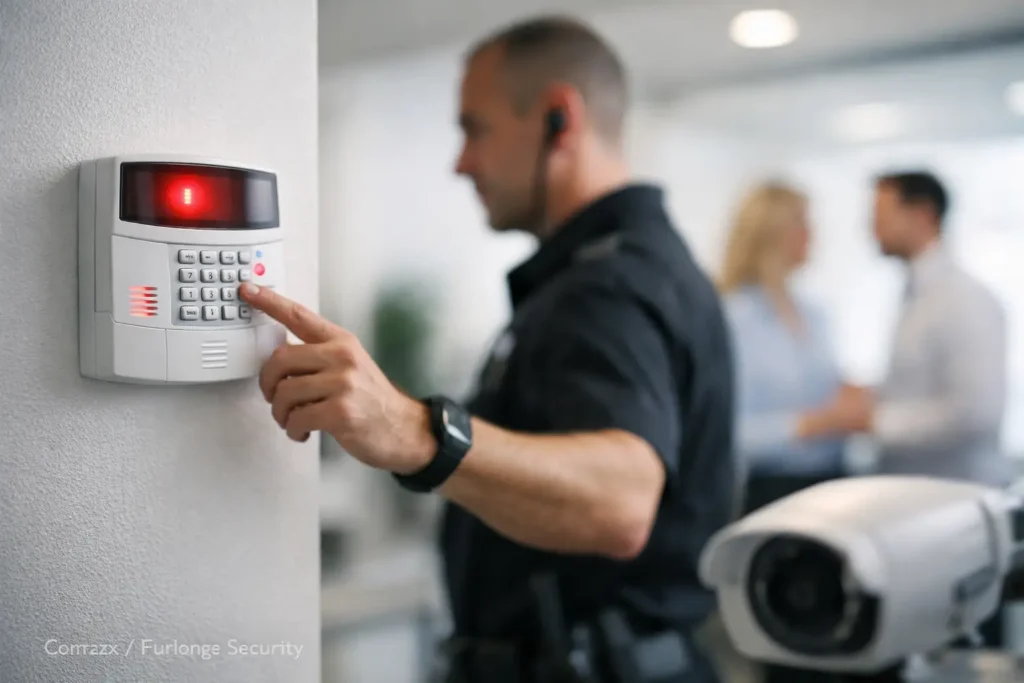
A false alarm at 2:00 a.m. does more than interrupt a manager’s sleep. It can pull employees away from priorities, create unnecessary dispatches, reduce confidence in the system, and potentially lead to fines. To reduce false security alarms, businesses need to address the conditions that trigger them, not simply turn down system sensitivity and hope for the best.
For commercial facilities, the answer is usually a combination of proper system design, clear employee procedures, regular service, and reliable communication between security technologies. A security system should respond quickly to genuine threats while remaining stable during normal business activity.
Why False Alarms Deserve Attention
Frequent false alarms create operational friction. Employees may become hesitant to arm the system, managers may receive repeated after-hours calls, and responding authorities can begin to treat repeat alarm locations differently. In a multi-site business, even a small number of recurring alarm events can become a significant administrative burden.
There is also a security risk in nuisance alarms. When staff assume an alert is probably another mistake, they may be slower to investigate a legitimate intrusion, door-forced event, or system trouble condition. The goal is not fewer alerts at any cost. The goal is meaningful alerts that prompt the right response.
The cause is not always a defective alarm panel or detector. Many false events trace back to an open door, an employee using the wrong code, a motion detector installed in an unsuitable location, weak batteries, or incomplete training after a staffing change. Identifying the pattern behind the event is the fastest path to a lasting correction.
Start With the Alarm History
Before changing equipment or procedures, review what is actually happening. Alarm history can show whether events occur at the same time, in the same area, or under the same user code. A system that goes into alarm shortly after closing may point to an exit-delay issue or inconsistent lock-up procedures. Events during severe weather may indicate a vulnerable door contact, exterior device, or power-related concern.
Classify the events by type. Common categories include unauthorized openings, motion alarms, glass-break alarms, panic alarms, communication failures, low-battery conditions, and user errors during arming or disarming. This distinction matters because each one calls for a different solution.
For example, repeatedly bypassing a troublesome motion detector may stop the calls, but it can leave an important area unprotected. A better approach is to determine whether the detector is aimed at a moving fan, HVAC airflow, reflective surface, or a space where employees regularly work after hours. Good service work corrects the source of the problem while preserving coverage.
Improve How Employees Arm and Disarm
User error is one of the most preventable sources of false security alarms. A well-designed system can still create problems if employees are not certain which doors must be secured, how much time they have to exit, or what to do when an incorrect code is entered.
Every authorized user should know the basic opening and closing procedure, including how to cancel an accidental alarm promptly. That instruction should be part of onboarding, not something learned only after an after-hours incident. Refresher training is especially useful for businesses with shift changes, seasonal employees, cleaning crews, or multiple departments sharing a facility.
Assigning individual user codes is generally more effective than relying on a shared code. Individual codes make it easier to see who opened or closed the building, remove access when someone leaves, and identify where additional coaching may be needed. Access control credentials can also support a more consistent process by recording door activity and limiting entry according to schedules.
A written closing checklist helps, particularly in facilities with several entrances, storage areas, or departments. It should confirm that exterior doors are secured, employees have exited protected zones, sensitive areas are cleared, and the correct arming mode is selected. The checklist does not need to be complicated. It needs to match the way the building is actually used.
Match Detection Devices to the Space
Alarm devices should be selected and positioned for the environment they protect. A motion detector that performs well in a quiet office may not be appropriate near a warehouse bay door, a high-airflow mechanical area, or a lobby with changing sunlight. Likewise, door and window contacts must remain properly aligned as doors settle, hardware is adjusted, or frames shift over time.
Environmental conditions deserve careful attention. Hanging signs, balloons, insects, dust, loose ceiling tiles, fans, and heating or cooling equipment can all affect certain devices. In a warehouse or retail setting, inventory layouts may change after the original installation and block a detector’s view or create new sources of movement.
This is where an on-site assessment has real value. Rather than applying the same settings to every area, a qualified technician can evaluate traffic patterns, building use, device placement, and the level of protection required for each zone. Sensitivity adjustments may be appropriate, but only after confirming that they will not create a blind spot.
Keep Doors, Hardware, and Power in Good Condition
Physical building conditions often cause alarm trouble. A door that does not latch consistently can create recurring open-zone alerts. A roll-up door with worn components may vibrate enough to affect a contact. Damaged weatherstripping, loose hinges, or a misaligned strike can turn a simple access issue into repeated security events.
Routine inspection should include door and window contacts, motion detectors, alarm keypads, backup batteries, communication paths, and any connected access control hardware. Batteries should be replaced on a planned schedule, not only after a low-battery alert. A technician should also verify that devices are firmly mounted, protected from damage, and operating within the manufacturer’s recommended conditions.
Power and network reliability matter as well. Many modern alarm systems rely on cellular, internet, or network connections to report events. If a business is also managing cameras, access control, wireless networks, and phone services, changes to the network should be coordinated carefully. An unexpected router replacement, network segmentation change, or power outage can create communication troubles that look like an alarm problem.
Use Video and Access Control to Verify Events
Integrated security systems can help staff and monitoring personnel distinguish between a real event and a false alarm. A camera covering a primary entry, receiving door, or restricted area provides valuable context when a door is forced or a motion event occurs. It can show whether someone entered the facility, whether a door was left unsecured, or whether normal activity triggered the alert.
Access control records add another useful layer. If an alarm occurs at a door that was opened with a valid credential moments earlier, the event may require a different response than a door opening with no authorized activity. This does not replace intrusion detection. It provides better information for investigating and correcting recurring issues.
Integration should be planned around operations, not added just for technology’s sake. A small office may need straightforward alarm and camera coverage, while a larger facility may benefit from connected access control, surveillance, intrusion detection, and monitored communications. The right approach depends on the property, hours of operation, staff access needs, and risk profile.
Create a Clear Response Plan
A fast, consistent response can prevent an accidental activation from becoming a costly dispatch. Authorized contacts should know who receives notifications, who can verify an event, and how to cancel a false alarm using the correct process. Contact lists need regular updates, especially after leadership, facility, or staffing changes.
Businesses should also confirm local alarm registration requirements and any applicable false-alarm ordinances. Requirements can vary by jurisdiction, and repeated dispatches may carry escalating consequences. A current response plan helps protect the business while supporting local law enforcement and emergency resources.
When a false alarm does occur, document it. Note the date, zone, user activity, weather conditions, and corrective action. One event may be accidental. Several similar events are a trend worth investigating.
Work With a Provider That Sees the Full System
Alarm performance is affected by more than the alarm panel. It is connected to doors, locks, electrical power, network communications, user behavior, cameras, and the physical layout of the facility. Managing these elements through separate vendors can make troubleshooting slower and leave gaps between responsibilities.
For Central Alabama businesses, Comtex can help evaluate security alarms alongside access control, video surveillance, structured wiring, and network infrastructure. That connected approach supports practical corrections, whether the issue is a single troublesome zone or a larger system that no longer fits how the facility operates.
A dependable alarm system should be quiet when business is normal and decisive when something is wrong. Treating each false event as useful information helps protect employee time, preserve emergency resources, and maintain the confidence your team needs to respond when an alarm truly matters.