
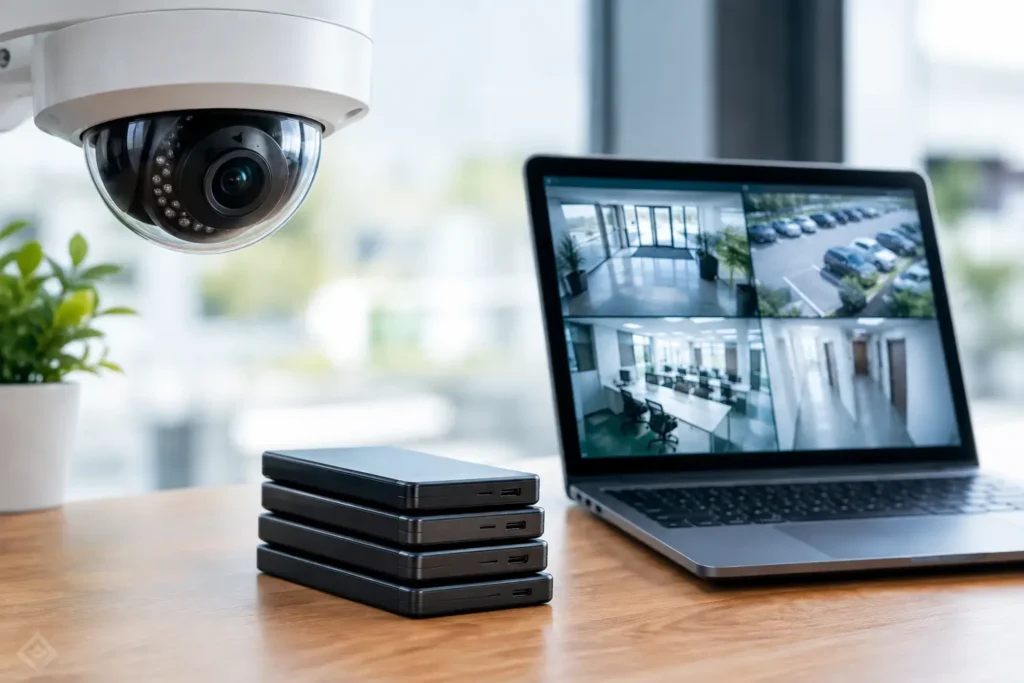
A missing delivery, a disputed workplace incident, or an after-hours break-in often becomes much harder to resolve when the video was overwritten two days too soon. This security camera retention policy guide helps business leaders set clear, workable expectations for how long surveillance footage is kept, who can access it, and what happens when an incident requires preservation.
There is no single retention period that fits every facility. A retail storefront, manufacturing site, medical office, apartment community, and multi-location business each face different risks, storage needs, and compliance concerns. The goal is not to keep every minute of video forever. It is to retain useful footage long enough to support security, operations, investigations, and applicable obligations without creating unnecessary cost or exposure.
What a Security Camera Retention Policy Should Do
A camera retention policy is a written business rule for recording, storing, reviewing, exporting, and deleting surveillance video. It gives employees, managers, IT teams, and security partners a common process before an incident puts that process to the test.
A practical policy should identify which cameras are covered, the standard retention period for routine footage, and the conditions that require footage to be preserved longer. It should also assign responsibility. If no one is clearly responsible for reviewing an incident and placing a hold on the relevant recording, a system can continue its normal overwrite cycle before the footage is secured.
For many commercial properties, the most effective approach is a standard automatic overwrite period combined with an exception process. Routine video expires on schedule. Footage tied to a theft, injury, complaint, alarm, access-control event, insurance matter, or law enforcement request is exported or retained under an incident hold.
This approach helps control storage costs while protecting the recordings that matter most.
Start With Risk, Not a Default Number
It is tempting to choose 30, 60, or 90 days because another organization uses that number. Those timeframes can be reasonable starting points, but the right answer depends on how quickly your business typically discovers and investigates an issue.
A business that sees customers and staff every day may learn about an incident immediately. In that setting, 30 days of continuous recording may provide adequate time to identify an event and preserve the file. A property manager, warehouse operator, or multi-site organization may not become aware of a problem until invoices are reviewed, a tenant reports damage, or a manager visits the location. Those organizations may need a longer baseline.
Consider the nature of the areas being recorded. Entrances, cash-handling areas, loading docks, parking lots, equipment rooms, and perimeter gates often carry higher risk than low-traffic interior spaces. Camera coverage can also differ by location. A facility may retain parking lot footage for longer than general hallway video when vehicle damage or after-hours activity is a recurring concern.
Your policy should account for four practical questions:
- How long does it usually take to discover an incident?
- How long does it take for the right manager to review footage?
- Are there contractual, insurance, industry, or legal requirements that affect retention?
- Can your current recorder, network, and storage platform support the desired period at the required video quality?
The final question matters more than many businesses realize. Retention is affected by camera count, resolution, frame rate, recording schedule, scene activity, compression settings, and whether cameras record continuously or only when motion is detected. Increasing retention may require additional storage, lower recording settings, or a combination of local and cloud storage.
Set a Standard Period and Clear Exceptions
The policy should state the normal retention period in plain language. For example: routine recordings are retained for 45 days and then automatically overwritten unless they are subject to an incident hold, legal preservation requirement, or approved business need.
Avoid vague language such as “footage will be retained as needed.” That leaves too much room for inconsistent decisions and makes it difficult to verify whether the system is operating as intended.
Then define the exceptions. An incident hold should apply when video may relate to a reported injury, theft, vandalism, workplace complaint, security alarm, access-control investigation, vehicle accident, or formal request from an insurer, attorney, regulator, or law enforcement agency. The policy does not need to predict every possible event. It does need to make clear that potentially relevant video must be preserved promptly.
Preservation should include more than clicking an export button. Record the date and time range, camera name, location, incident reference number, person who preserved the footage, and where the exported file is stored. This documentation helps establish that the file is complete and reduces confusion if the matter remains open for months.
Assign Responsibility Before an Incident Happens
A retention policy is only useful if employees know what to do. Designate a primary role, such as a facility manager, security manager, operations leader, or IT administrator, to receive incident reports and authorize preservation. A backup should be named for absences or after-hours events.
Staff members should understand that they are not authorized to share, copy, or post surveillance video casually. A front-desk employee trying to be helpful can create a privacy problem by sending footage to the wrong person. Access should be limited to authorized personnel with a legitimate business reason.
For larger organizations, separate responsibilities can provide better control. Operations may report an event, security or IT may retrieve the video, and management or legal counsel may approve external release. The process does not have to be burdensome. It simply needs to be consistent and documented.
Protect Footage Like Other Business Records
Video footage can contain identifiable images of employees, customers, visitors, vendors, and vehicles. Treat it as a business record with security requirements, not as a file anyone can browse.
Use individual user accounts rather than shared passwords whenever the video platform supports them. Limit permissions based on job responsibilities, require strong passwords, and remove access promptly when an employee changes roles or leaves the organization. Multi-factor authentication should be enabled for remotely accessible systems when available.
Physical protection matters, too. Network video recorders, servers, switches, and backup devices should be installed in secured locations with reliable power and appropriate environmental protection. If a recorder is easily accessible, a person who enters the building unlawfully may be able to damage the very evidence the cameras captured.
A connected design also matters. Video surveillance shares the network with other essential operations in many facilities. Proper network configuration, bandwidth planning, and secure remote access help prevent cameras from becoming a weak point in the business environment.
Review Storage Capacity and Recording Quality Together
Retention decisions should never be made on paper alone. Test the actual system. Confirm how many days of footage each recorder is holding under normal conditions, then check again after adding cameras, changing resolution, or adjusting recording schedules.
A 90-day target is not useful if the system only retains 22 days once cameras are recording at the desired quality. On the other hand, reducing image quality simply to extend retention can make recorded evidence less useful. If a camera cannot clearly capture faces, vehicle details, or activity in its intended area, additional days of poor footage may not solve the problem.
Work with a qualified security provider to balance coverage, camera placement, resolution, frame rate, recording mode, and storage capacity. In many cases, improving camera placement or using motion-based recording in appropriate low-activity areas can help extend retention without compromising the coverage needed for key locations.
Keep the Policy Current and Defensible
Review the retention policy at least annually and whenever the business changes locations, adds cameras, expands operations, changes insurance requirements, or experiences a significant security event. A policy written for a single office may not fit a growing organization with warehouses, remote sites, or public-facing locations.
Laws and requirements can vary by industry, location, and the type of footage involved. Businesses with specialized obligations should confirm their retention practices with legal counsel, insurers, or applicable regulatory advisors. A security integrator can help validate system capabilities, but legal retention requirements should be addressed by the appropriate professional.
Finally, make sure the written policy matches reality. If the policy promises 60 days but the recorder overwrites video after 30, the organization has created an avoidable risk. Regular checks, documented testing, and a clear incident-preservation process turn a retention policy from a document into an operational safeguard.
The best retention period is the one your business can consistently support, monitor, and act on when it matters. For Central Alabama organizations, a properly designed surveillance system and a clear policy provide more than recorded video – they provide a reliable record when questions need answers.