
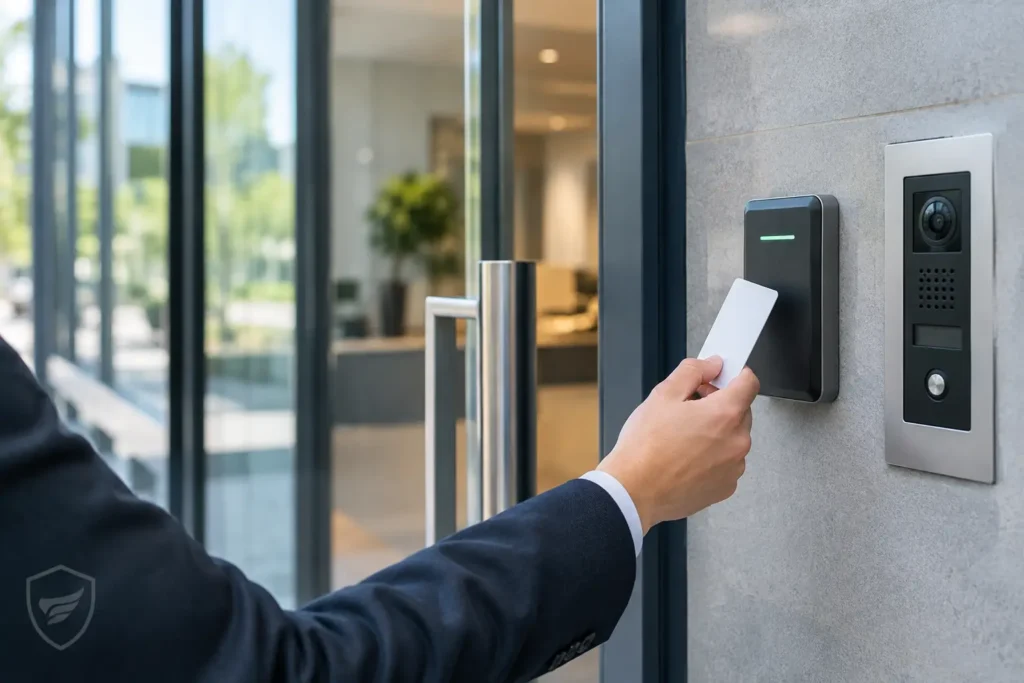
A lost key can mean more than the cost of a replacement. It can leave a former employee, vendor, or unknown person with access to your building until locks are rekeyed. Commercial door entry system options give Central Alabama businesses more control: who can enter, which doors they can use, and when access should end. The right system protects people and property without making daily work harder for authorized staff.
For a single office, a basic keypad may be the practical choice. For a medical practice, school, warehouse, or multi-site organization, centralized access control can provide the accountability and flexibility that traditional keys cannot. The best answer depends on the facility, the doors, and how the business operates.
Start With the Access Problem You Need to Solve
A door entry system should be designed around operations, not selected solely because it offers the newest credential. Begin by identifying the entrances that need controlled access. Exterior employee doors, back entrances, IT rooms, records storage, supply areas, and tenant common areas often have different security requirements.
Consider the people who need entry as well. Employees may require regular access during scheduled hours, while contractors, delivery personnel, visitors, and cleaning crews need more limited permissions. If you manage more than one location, the ability to issue, change, and remove access from a central platform can save considerable administrative time.
It also helps to define what you need to know after a door is used. Some facilities only need to restrict entry. Others need an activity record that shows when a credential was presented, whether entry was granted, and which door was used. This information can support incident reviews, improve keyholder accountability, and help managers understand access patterns.
Commercial Door Entry System Options at a Glance
Most commercial systems combine a credential, a reader, a controller, locking hardware, and management software. The credential identifies the person requesting access; the system then determines whether that person may enter. The major differences are how credentials are presented and how the system is managed.
Keypad and PIN Entry
Keypads allow a user to enter a personal identification number to release a door. They work well where issuing physical credentials is inconvenient, such as a small employee-only entrance or a temporary access point. A PIN can be changed quickly if it is compromised.
The trade-off is accountability. If several people use the same code, the system can confirm that a valid code opened the door but not exactly who used it. Shared codes also tend to spread over time. Individual PINs are more manageable, but users may forget them or share them with coworkers.
Proximity Cards and Key Fobs
Cards and key fobs remain a dependable choice for many commercial facilities. Users present the credential to a reader, and the door unlocks if their access permissions allow it. Cards and fobs are familiar, fast to use, and easy to assign by employee, department, door, and schedule.
When someone leaves the organization or loses a credential, an administrator can deactivate it without changing locks or collecting every card. This makes card-based access especially useful for businesses with turnover, rotating staff, or restricted areas.
Cards can be misplaced, and older credential technologies may offer less protection against copying than newer encrypted formats. A qualified system design should account for the level of security needed at each opening rather than applying one credential type everywhere.
Mobile Credentials
Mobile entry uses a smartphone as a credential, commonly through Bluetooth or near-field communication. Employees can use a device they already carry, and administrators can issue or revoke access remotely. This can reduce the need to distribute and recover cards across a multi-site workforce.
Mobile credentials are a strong fit for organizations that want modern convenience and centralized administration. They are not always the right answer for every environment, however. Businesses should establish procedures for dead phones, employees without compatible devices, and visitors who need access. Many facilities use mobile credentials alongside cards or fobs rather than replacing them entirely.
Biometric Readers
Biometric systems verify a physical characteristic, such as a fingerprint or face, instead of relying on something a person carries or remembers. They can provide strong identity verification for high-security spaces, including sensitive records rooms, laboratories, or areas containing valuable equipment.
This option requires careful planning. Privacy expectations, user acceptance, reader placement, lighting, cleanliness, and backup access methods all matter. Biometric readers generally make the most sense where the additional identity assurance is necessary, not as a default for every office door.
Intercom and Video Entry
An intercom or video door station lets a visitor request entry from a receptionist, tenant, security desk, or authorized employee. The person receiving the call can speak with the visitor and, with video-enabled systems, see who is at the door before releasing it.
This is often the most effective approach for public-facing entrances. It supports customer service while preventing visitors from entering unescorted. Video entry can also be paired with access control to create a clearer record of activity at the entrance.
The Door Hardware Matters as Much as the Reader
A reader alone does not secure a door. The electronic locking device, door frame, hinges, closer, exit hardware, and power supply must all work together. An access control system installed on an unsuitable or poorly maintained opening can create reliability issues and frustrate the people who use it every day.
Electric strikes are frequently used on doors with mechanical latching hardware. They can be a practical choice for many office and retail applications. Magnetic locks are often used where the door and frame configuration supports them, but they require proper egress planning because the door must release safely during an emergency. Electrified lever hardware and panic hardware can be appropriate for specific doors, particularly where code-compliant exit hardware is already required.
Every opening should be evaluated for life-safety requirements, fire ratings, local codes, and the building’s intended use. A controlled entrance must never interfere with safe emergency exit. This is one reason a professional site review is valuable before equipment is specified.
Choose Local, Cloud-Managed, or Hybrid Administration
How the system is administered affects both convenience and long-term support. A local, on-premises system may be appropriate for organizations that prefer their access management platform within their own network. It can offer direct control but may require local server resources, network coordination, and internal support.
Cloud-managed access control allows authorized administrators to manage users, schedules, and doors through a secure web-based platform. It can be particularly useful for property managers and organizations with multiple locations because access changes do not require someone to be physically at the site. Reliable internet service and clear account administration are essential considerations.
Hybrid designs can combine local equipment with remote management capabilities. The most suitable approach depends on your IT policies, connectivity, number of sites, and the staff members responsible for administration.
Build a System That Works With the Rest of Your Security
Door entry is more effective when it is coordinated with video surveillance, alarm systems, intercoms, and the network that supports them. For example, an access event at a rear entrance can be matched with camera footage from that location. A forced-door or door-held-open alert can notify the appropriate team before a minor issue becomes a security gap.
Integration should have a clear purpose. Connecting systems simply because they can be connected may add cost and complexity without improving operations. The useful question is what action your team needs to take when an event occurs, and what information will help them make the right decision.
Network readiness deserves attention as well. Controllers, cameras, intercoms, and cloud-managed services depend on properly planned cabling, power, switching, wireless coverage where applicable, and cybersecurity practices. A single accountable provider can help align these components instead of leaving the facility manager to coordinate separate trades.
Plan for Daily Use, Not Just Installation Day
An access control system is only as effective as the process behind it. Assign clear responsibility for adding employees, removing former employees, reviewing permissions, responding to lost credentials, and testing doors. Access groups and schedules should reflect job duties rather than granting broad access for convenience.
Think through exceptions before they happen. How will a manager admit a delivery after hours? Who can override a door during a network interruption? What is the process when a credential is lost on a weekend? These decisions help create a system that supports the business without creating unnecessary delays.
Comtex designs and installs connected security and communications solutions for commercial customers across Central Alabama, with attention to the door opening, the network behind it, and the support needed after installation. A well-planned entry system should make access easier for the right people and far more difficult for everyone else.