
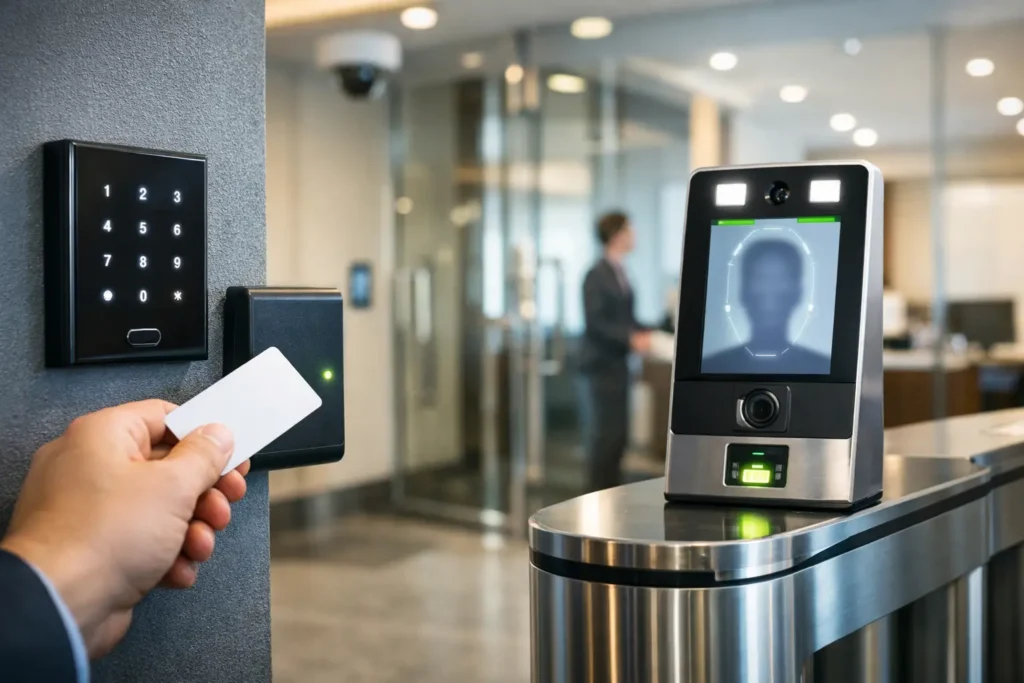
A commercial access control system review should begin at the door, not with a product brochure. Consider who enters your building before opening, who needs access after hours, which areas contain sensitive information or equipment, and what happens when an employee, vendor, or tenant no longer needs access. The right system gives your team clear control without creating more work for facilities or IT.
For Central Alabama businesses, the best answer is rarely a one-size-fits-all package. A single-office professional firm, a manufacturing facility, a medical practice, and a multi-site property manager all have different risks, traffic patterns, and operating requirements. A well-designed system matches the technology to the way the organization actually works.
What a Commercial Access Control System Should Do
At its core, access control replaces or supplements traditional keys with managed entry permissions. Employees may use cards, fobs, mobile credentials, PIN codes, or biometric readers to enter approved doors during approved times. The system records activity and can alert designated personnel when a door is forced open, held open, or accessed outside normal schedules.
The value is not simply the ability to lock a door electronically. It is the ability to change access immediately, view entry activity when questions arise, and apply consistent rules across a facility. When an employee leaves, a credential can be removed without collecting every key or changing locks. When a delivery team needs temporary access, permissions can be limited by door and by time of day.
A practical review should look beyond the main entrance. Interior doors, server rooms, supply closets, records storage, employee-only areas, gates, and restricted production spaces may all require different levels of control. Protecting the right openings is more effective than adding technology everywhere without a plan.
Start With Doors, Users, and Daily Operations
The number of doors is an obvious factor, but it does not tell the whole story. A door used by 200 employees at shift change has different hardware needs than a low-traffic executive office or a perimeter gate exposed to weather. Door construction, fire code requirements, existing locks, power availability, and wiring paths all affect the system design.
It is also useful to identify user groups before selecting credentials. Employees may need broad daily access. Managers may need after-hours entry. Contractors may need short-term permissions. Cleaning crews may only need access during a defined window. A system should make these groups easy to administer rather than requiring individual changes each time schedules shift.
Ask operational questions early: Who will add and remove users? Is there a clear offboarding process? Does a manager need reports from more than one location? Will the front office need to unlock a door remotely for visitors? These details determine whether a system remains useful after installation.
Credentials: Cards, Fobs, Mobile, and PINs
Credentials should fit the environment and the people using them. Proximity cards and fobs remain a dependable option for many commercial locations. They are familiar, cost-effective, and practical for employees who do not want to use a personal phone for workplace access.
Mobile credentials can reduce the need to issue physical cards and are convenient for organizations with changing personnel or multiple locations. They also require a thoughtful policy for phone replacement, battery loss, and employees who prefer not to use a personal device. PIN pads can add convenience at selected openings but should not be the only protection for higher-risk areas, since codes can be shared.
For sensitive spaces, multi-factor entry may be appropriate. That might mean a card plus PIN, or a mobile credential plus another verification step. The trade-off is speed and convenience. A server room may justify added friction. A busy employee entrance may not.
Compare System Architecture Before Choosing Features
One of the most important decisions in a commercial access control system review is where the system is managed. Cloud-managed platforms allow authorized personnel to manage doors, users, and reports through a secure web interface. They can be a strong choice for organizations that want remote administration, multi-site visibility, and reduced dependence on an on-premises management server.
On-premises systems keep management software and data within the organization’s own network environment. This approach may fit businesses with internal IT requirements, specialized compliance needs, or a preference for direct control of system infrastructure. It may also require greater responsibility for server maintenance, updates, backups, and secure network configuration.
Neither model is automatically better. The right choice depends on your organization’s IT resources, security policies, internet reliability, number of locations, and ongoing administration needs. In either case, ask how the system behaves during an internet interruption or network outage. Local door operation and credential validation should be addressed clearly during system design.
Integration Matters When It Solves a Real Problem
Access control becomes more valuable when it works with other building systems. Integration with video surveillance can connect an access event to recorded video, helping managers review what occurred at a door without searching through hours of footage. Intercom integration can support controlled visitor entry. Alarm and intrusion systems may use access schedules to help manage opening and closing procedures.
Integration should serve an operational purpose, not add complexity for its own sake. A business may benefit greatly from tying cameras to exterior doors but have no need for a complicated workflow at every interior opening. The goal is a connected security environment that staff can understand and use.
Organizations already planning structured cabling, wireless network upgrades, cameras, or communications improvements should evaluate the project as a whole. Coordinating these systems at the design stage can reduce duplicate work, protect cable pathways, and provide clearer accountability throughout installation and service.
Evaluate Hardware and Installation Quality
The software interface gets attention, but physical installation often determines long-term reliability. A commercial door may require an electric strike, magnetic lock, electrified lever, request-to-exit device, door position switch, power supply, controller, and properly rated cabling. Hardware choices must account for the door frame, traffic level, life-safety requirements, and whether the opening must remain secure or unlock during a power event.
A qualified integrator should inspect each opening rather than assume the same parts will work across the facility. Exterior aluminum storefront doors, hollow metal doors, wood doors, glass entries, gates, and emergency exits each present different challenges.
Installation practices also affect future service. Controllers and power supplies should be organized, labeled, and accessible. Cabling should follow applicable standards and be protected from damage. Documentation should identify doors, equipment locations, credentials, and administrative procedures. These details help a facility team troubleshoot issues and make changes without guesswork.
Questions That Reveal the True Cost
The initial proposal matters, but the lowest installed price is not always the lowest long-term cost. Look at licensing, credential replacement, software subscriptions, support agreements, expansion capacity, and expected maintenance. A system that is inexpensive for four doors but costly to grow to 20 doors can become a poor fit for an expanding business.
During vendor discussions, ask these questions:
- How are users added, removed, and assigned to access groups?
- What ongoing software, cloud, or support fees should we expect?
- Can the system expand to additional doors, buildings, or locations?
- What happens to door operation during a network or internet outage?
- Who provides local service when a reader, lock, controller, or power supply fails?
The answers should be specific and written into the scope of work where appropriate. Clear expectations around training, service response, warranty coverage, and ownership of credentials help prevent surprises later.
Plan for Administration From Day One
Even an excellent access control system can lose value if it is not actively managed. Assign at least two authorized administrators so access changes do not depend on one person. Establish access groups based on job roles, document approval procedures for special access, and review active credentials regularly.
It is wise to coordinate access control with human resources, operations, and IT. Human resources may trigger employee onboarding and offboarding. Operations may define who needs entry to restricted spaces. IT may oversee network connections, user permissions, and cybersecurity expectations. Shared responsibility keeps the system aligned with real business changes.
Comtex helps commercial organizations bring access control, video surveillance, communications, and network infrastructure under one experienced local provider. That coordinated approach can be especially helpful when a facility needs more than a new card reader – it needs a dependable plan for protecting the building and supporting daily operations.
A good system should make the next access decision easier, whether that means admitting a new employee, restricting a former contractor, reviewing an after-hours event, or expanding protection to a new location. Choose a partner and platform that will still support those decisions long after installation day.